Skip to content
Online Resume Builder

Online Resume Builder: Free, No Sign-Up, Watermark-Free PDF

Most online resume builders are free until you export. This one is not: nine templates, a live A4 preview, and a PDF rendered in your browser. No account, no watermark, no upload.

What This Page Covers

No account, no paywall

Open the editor, pick a layout, export. There is no sign-up step, no email wall, and no watermark on the PDF.

Live A4 preview

Every edit reflows the real page, so pagination problems show up while you type instead of after export.

Nine parseable layouts

Single-column and structured two-column templates keep a real text layer for applicant tracking systems.

Import and re-typeset

Drop in an existing PDF or Markdown file, review the parsed fields, then apply a layout instead of retyping.

What a Free Resume Builder Should Actually Include

The editor is the easy part; the export is where most tools charge. Plenty of builders let you type for free and then ask for an email, add a watermark, or put the PDF behind a subscription. If the export is the product, the tool is not free.

A builder worth using gives you the three things that decide whether a resume survives screening: a layout that parses, real text instead of an image of text, and control over pagination.

  • A real text layer: selectable, searchable, and parseable by applicant tracking systems
  • Page control: margins, line height, and a check that nothing spills onto page two
  • Local rendering: the document is laid out in your browser, not on a rendering farm

Why Local Rendering Matters for a Resume

A resume carries your phone number, email, employer history, and often a photo. Uploading it to a third-party server just to produce a PDF creates a copy you no longer control, on infrastructure you cannot audit.

Lucky Resume renders the PDF in the browser and stores the document in local browser storage, with an optional folder sync where the File System Access API is available. AI features send only the text you explicitly select to the model provider you configure.

  • Documents stay in browser storage until you export or write a JSON backup
  • No resume content is persisted on the server
  • AI calls use your own provider key, and every suggestion is accepted manually

Choosing a Template That Survives the Parser

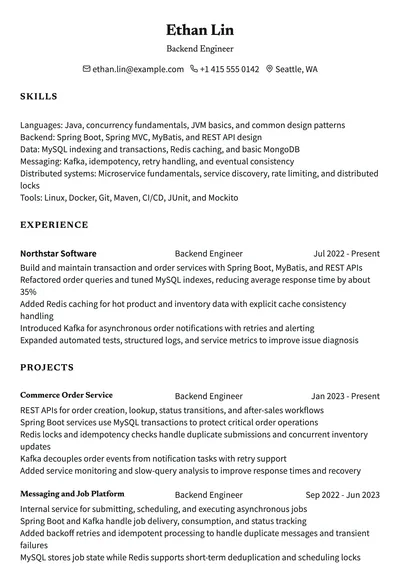
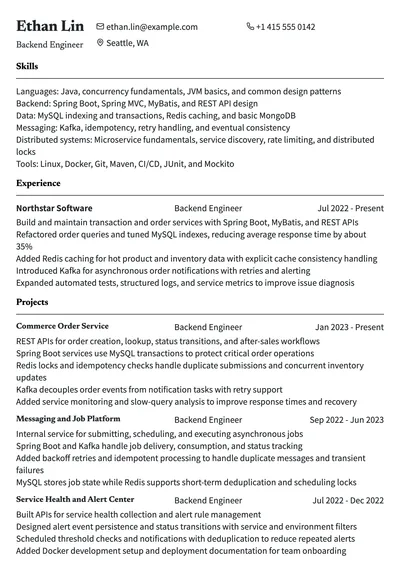
Two-column designs look good on screen and fail in parsing when the reading order becomes ambiguous. The safe default is a single column with clear headings, a consistent date format, and no decorative boxes around the text.

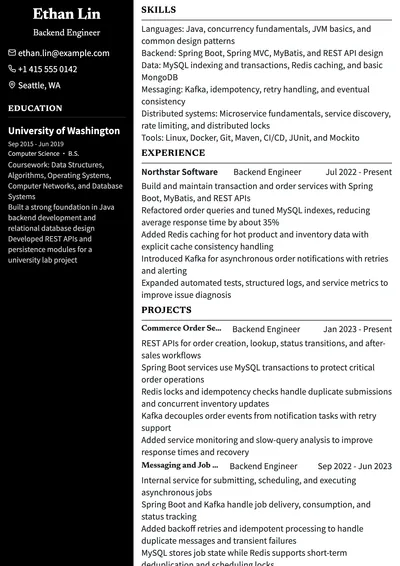
If you want a sidebar, keep it to contact details, skills, and dates, and put every narrative sentence in the main column. Verify the result by searching the exported PDF for your university and one job title.

  • Single column for engineering, finance, operations, and any portal that only accepts PDF
  • Left-right split when a human reads it first and the portal accepts text-based PDFs
  • Avoid text boxes, tables, meaning-carrying icons, and headers or footers for essential facts
How to Apply This in 4 Steps

  1. 01

    Start from a template or import

    Pick one of nine layouts, or import a PDF or Markdown resume and review the parsed fields before applying a layout.

  2. 02

    Write inside the A4 preview

    Edit on the left and watch the page on the right; the page count updates as you type, so you see overflow immediately.

  3. 03

    Check the text layer

    Export the PDF, then search it for a school name and a job title to confirm the text is selectable and not an image.

  4. 04

    Export and keep a backup

    Download the watermark-free PDF, and export JSON if you want a portable copy that survives clearing browser storage.

Templates to Start From

All 9 templates

Frequently Asked Questions

Is this resume builder really free?

Yes. All nine templates, the editor, and the PDF, PNG, Markdown, and JSON exports are free, with no account and no watermark. AI features need your own model API key, so the provider bills you directly for usage.

Do I need to create an account?

No. There is no sign-up and no email is required to export. Because drafts live in browser storage, export a JSON backup if the document matters; clearing site data deletes it.

Do you upload my resume to a server?

No. The PDF is rendered in your browser and resumes are stored locally. When you use AI polish, grammar check, or import, only the relevant text is sent to the model provider you configured.

Will the exported PDF pass ATS screening?

The templates keep a real text layer and a single reading order, which is what parsers need. No template can guarantee a particular score; confirm that keywords are selectable in the exported file.

Can I build a resume on a phone?

The editor works in mobile browsers, though a larger screen makes margin and spacing adjustments easier. The exported PDF matches the A4 preview either way.

Related Guides