Vision-Powered Multi-Page Extraction
Supports PDFs up to 10 pages and 20 MB—handling complex columns and custom layouts cleanly.
Only have an outdated PDF from two years ago and dread copying every line by hand? Upload your existing PDF, turn it into clean editable sections, switch templates, and export a fresh PDF in minutes.
Supports PDFs up to 10 pages and 20 MB—handling complex columns and custom layouts cleanly.
Inspect extracted names, dates, roles, and bullets before generating your editable resume.
Discard messy spacing and outdated styling by pouring your clean content into 9 crisp templates.
Add your latest role, run AI polish or grammar checks, and download a brand-new watermark-free PDF.
Upload your existing PDF resume directly—no Word conversion needed.
Your configured vision model reads each page and maps details into clean resume sections.
Review the parsed text, create the resume, and test different layouts with live preview.
Download your updated vector PDF and save a JSON backup so future edits take seconds.
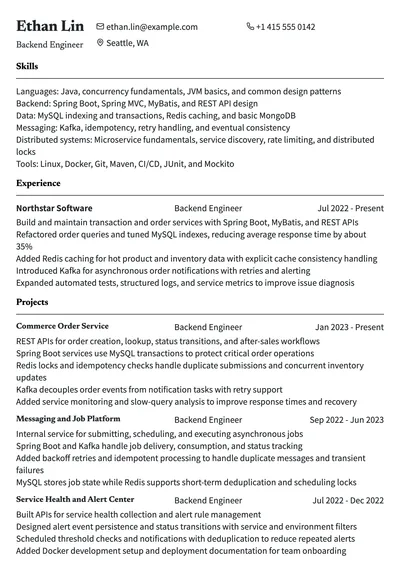 Classic Single-Column Resume TemplateClean, recruiter-trusted single-column layout built for ATS accuracy
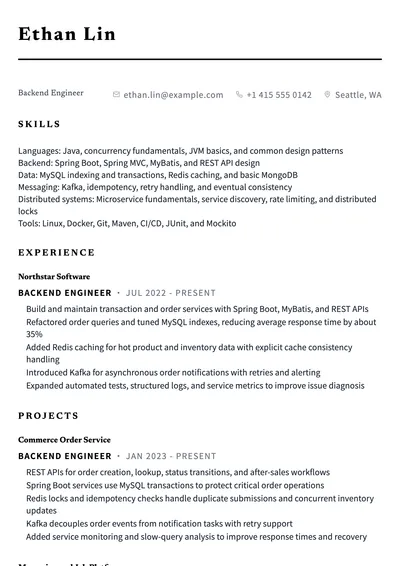 Editorial Magazine Resume TemplateEditorial serif display headings paired with a refined side timeline
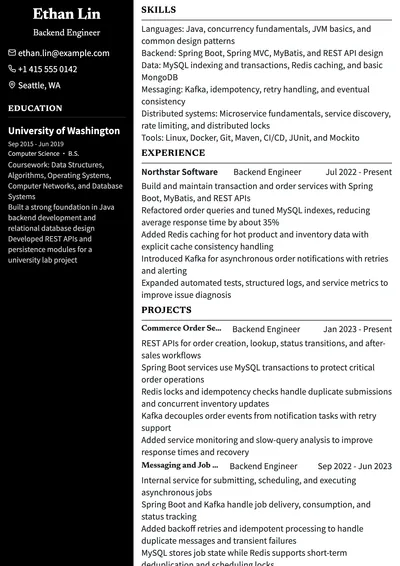 Modern Two-Column Resume TemplateHigh-density two-column layout showcasing skills and experience side by side
Yes. Because pages are analyzed visually with a vision model, multi-column layouts and custom fonts are extracted much more reliably than plain text scrapers.
No. Resumes are stored locally in your browser and never persisted on our servers.
You can import PDF resumes up to 10 pages and 20 MB.